Computation for Linguists
Welcome to 301!
2025-08-25
Pretest
What is your background in computing?
What would you like to get out of the course?
While this isn’t anonymous, please answer truthfully!
This will help me better understand how to structure the class.
What is this course?
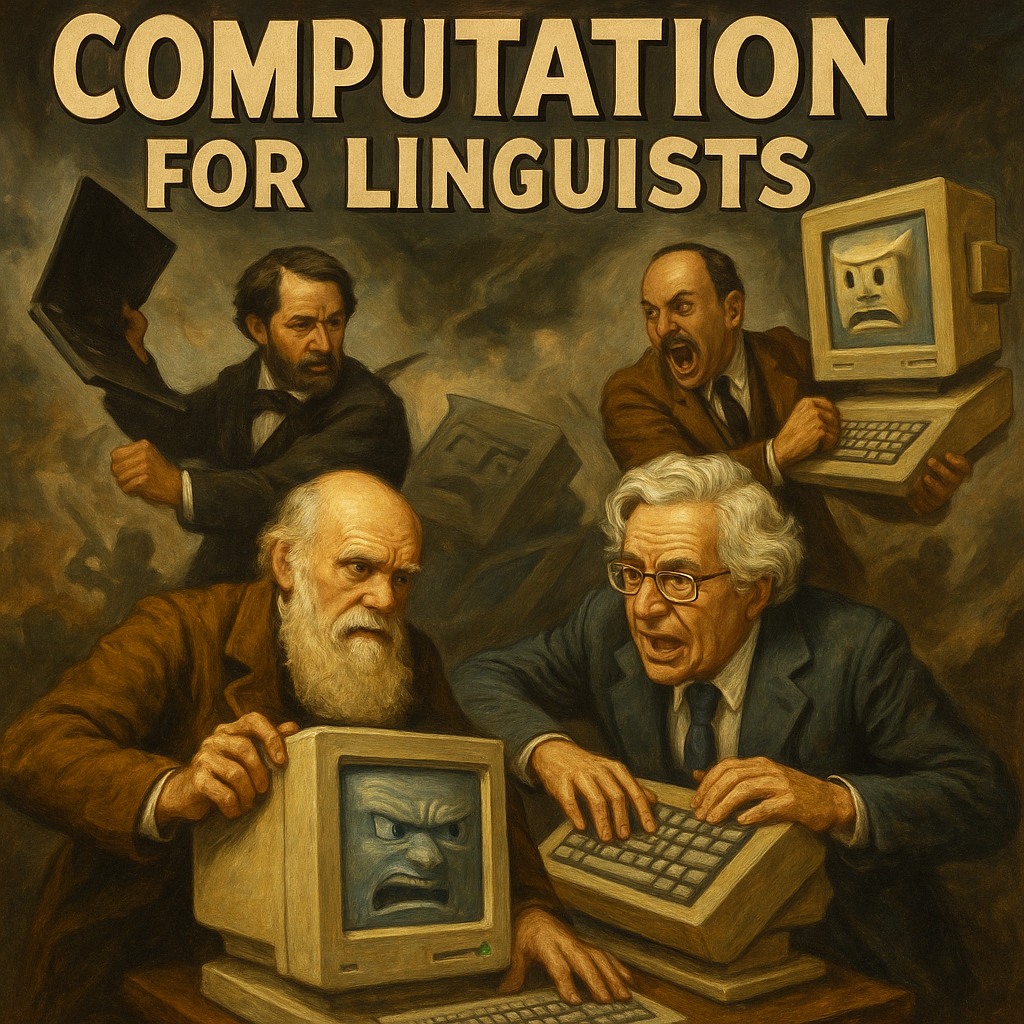
In this class, I’m assuming that you …
Know how to use a computer and can access the internet;
Know what generative AI is and have used it before.
Aren’t terribly familiar with the command prompt, and perhaps don’t even know what it is;
Have never programmed before;
My Background: I am …
A formally trained historical linguist (Ph.D. 2010, UCLA, Indo-European Studies)
Specialist in:
Proto-Indo-European & Ancient IE Languages
Historical Phonology
Constructed Languages
Thinking about old problems in new ways
Syllable structure in PIE
Aspirates & Implosives
Immersive PIE
My Background: I am NOT …
A formally trained computer scientist
A formally trained programmer
A formally trained computational linguist
Wait, then why is this guy teaching me Computation for Linguists?
Despite my lack of formal training in programming
Taught self Python, using online courses & resources
Have studied with specialists (like Dr. Fruehwald!) to learn how computational tools can be used in linguistic work
Have managed multiple groups of programmers on a variety of projects
All of this to pursue long-held dream to build a vast database, called “DERBi PIE”: a Database of Etymological Roots Beginning in Proto-Indo-European
DERBi PIE

Received funding from the NEH in January 2025 (first try, which is wild, given the 6% acceptance rate!)
Funding pulled with the DOGE-pocalypse in April 2025
What to do? Build the damn thing myself, with the help of Gen AI for high-level coding.
What does that mean for y’all?
With me as your teacher:
Given that I recently learned how to program, this means that I perhaps better understand the issues that a beginner might have;
There may be questions you have that I cannot initially answer, but I will find you those answers.
What does that mean for y’all?
For you as my student:
You will gain a solid foundation is the fundamentals of programmings and computational tools used by linguists
It’s unlikely that you’ll be able to code at a high level; but… you should be able to code at a higher level with the help of Gen AI.
Broadly speaking, you should be able to understand the advanced code that you use, though not necessarily have come up with it yourself.
Does this mean you have to use AI?
No. You can do all of the assignments and coursework without AI.
The class and assignments are just structured assuming that some of you will.
Why do you need this course?
In Linguistics (academia and the private sector, like Google), working with large amounts of data is standard
- Programming provides us with tools to process that data!
There are quite a few annoying parts of Linguistics that require special tools, think:
IPA symbols
Syntax Trees
Leipzig Glossing Rules
Understanding how to use Gen AI as a tool, not as a crutch
What will you learn in this class?
How to compile documents in LaTeX
- Word and Google docs are not great for many reasons. Let me show you a better way.
How to put together a website
- Learning the basics of HTML
How to think programmatically:
Python and a little R
How do linguists use computers to conduct research?
What specific computational skills will you acquire?
PYTHON SKILLS
Basic programming concepts:
writing scripts
variables
data types
loops
conditionals
functions
importing libraries
PYTHON SKILLS
Text and language data processing:
string manipulation
tokenizing text
finding patterns with regex
counting and sorting words
PYTHON SKILLS
Data handling with pandas:
reading/writing CSV/Excel
filtering
grouping
sorting
merging datasets
calculating descriptive stats
PYTHON SKILLS
Computational linguistics tools:
NLTK/spaCy for tokenization
lemmatization
POS tagging
word frequency analysis
PYTHON SKILLS
Automation and reproducibility:
writing scripts to process multiple files
using loops for batch processing
exporting processed results
R SKILLS
Data import and wrangling:
reading CSV/Excel
cleaning and transforming data
summarizing data by groups.
R SKILLS
Visualization:
frequency bar plots
histograms
scatterplots with ggplot2
customizing aesthetics
comparative plots
timelines
heatmaps
network diagrams
RStudio SKILLS
Reproducible reporting in RStudio:
writing code and commentary in Quarto documents;
generating HTML/PDF slides and reports;
combining Python and R in the same document.
INTEGRATED PYTHON + R SKILLS
Passing cleaned Python-processed data into R for visualization.
Producing a complete workflow from raw corpus to cleaned dataset to statistical visualization.
Documenting all steps so another linguist can replicate the analysis.
What you’ll need for this course
A computer, preferably a laptop for in-class computation. OS can be PC, Mac or Linux.
Access to the Internet
What you’ll need for this course
Chosen IDE for class: RStudio
IDE = “Integrated Development Enivornment”, required tool for software development
After we install it, run RStudio on your laptop each and every class
There are cloud-based environments for Python, R, and HTML. Possible sites include:
What you’ll need for this course
LaTeX Compiler: Overleaf
- You can use a local LaTeX compiler, but Overleaf makes packages much simpler. I’ve never looked back after I switched to it.
What you’ll need for this course
Git Repository: GitHub
With this you’ll learn how to upload and manage your software
You’ll also create a webpage to promote yourself and your work.
Grades
In-Class Brain Dumps: 30%
Homework: 40% (8 total - 10% each)
- LaTeX
- GitHub Homepage
- Beginning Python
- Loops & Conditionals
- Pandas-monium
- String Operations
- Tokens, Frequencies, & Visualization
- Functions & Libraries
Final Project: 30% (4 Components)
- Select a dataset (corpus) in a language or languages of your choice and perform a linguistic analysis using the skills we build in class.
Questions?
Activity: Learning How to Think Like a Computer
Learning How to Think Like a Computer
- Consider the meaning of the following sentences:
It’s noisy in here.
I’m starving.
I have a car.
Learning How to Think Like a Computer
- Now, with your neighbors, consider how meaning of these sentences changes in different contexts:
It’s noisy in here. (Statement directed towards friend when going inside a crowded room.)
I’m starving. (Statement directed towards friend at 2 pm.)
I have a car. (Statement directed towards friend in response to “How are you getting to the party?”)
Learning How to Think Like a Computer
- How would a computer interpret these sentences?
It’s noisy in here. (Statement directed towards friend when going inside a crowded room.)
I’m starving. (Statement directed towards friend at 2 pm.)
I have a car. (Statement directed towards friend in response to “How are you getting to the party?”)
Activity: Make Me a Sandwich!
Goal: Write instructions that a computer could follow without guessing or filling in missing steps.
Form groups of three.
Your task: write step-by-step instructions for making a peanut butter & jelly sandwich for Dr. Byrd.
Be explicit — if a step isn’t written, it doesn’t happen.
Remember: A computer will follow your instructions literally.
Activity: Make Me a Sandwich!
Challenge:
The group with the fewest steps that still results in a correct sandwich wins.
If your instructions are too short and leave gaps, the “computer” (i.e., Dr. Byrd) will execute them in unexpected ways!